This post is to serve basically as long term memory for me. I keep forgetting how to do this, and the original post I used to refer to is gone. (Well, at the time of this writing it is). That said, WaybackMachine is awesome and I was able to access the archived original post there.
However, for ease, I’m just going to repeat the steps here because it’s easy enough to do.
Install the right Java Version
As of this writing, the TrueNAS Scale MineOS App, does not come with Java 21 pre-installed. Every time the MineOS App is updated, Java 21 is blown away. So, you have to re-install it in the MineOS App Container.
Step 1 – Access the MineOS App Shell
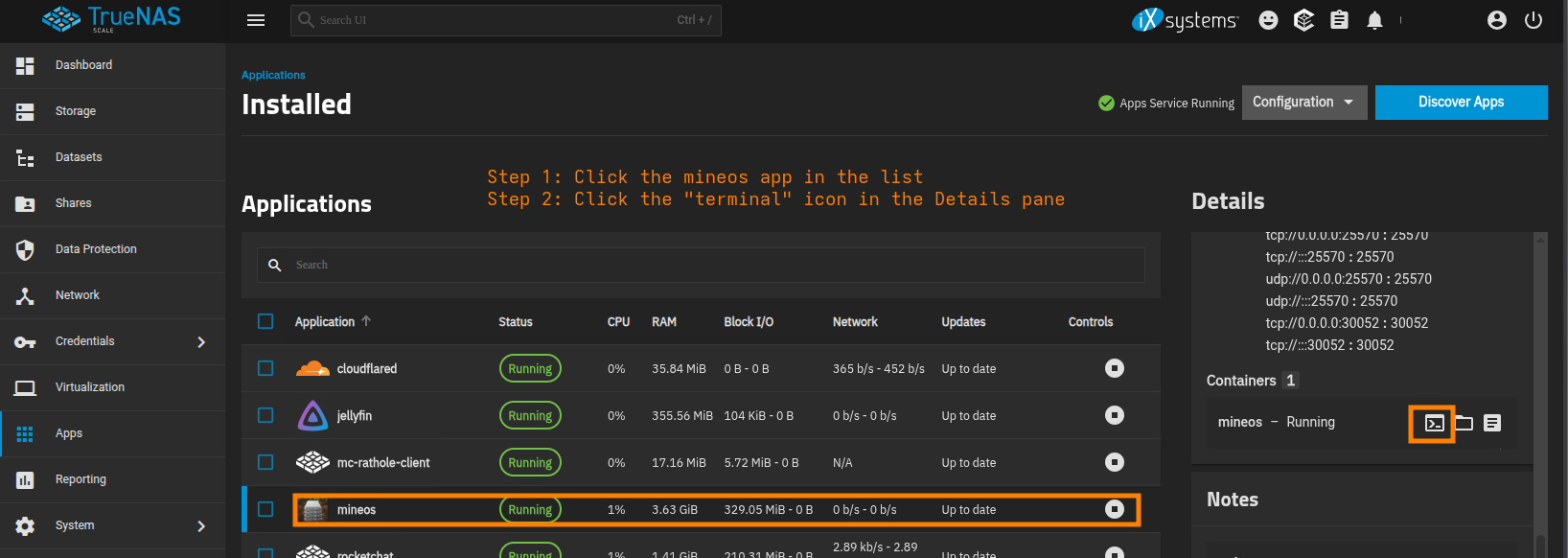
Step 2 – Run apt update
Step 3 – Run apt install openjdk-21-jdk
Start The Servers
Ok – now that you’ve updated the java version, you can go in and start your MineOS servers.
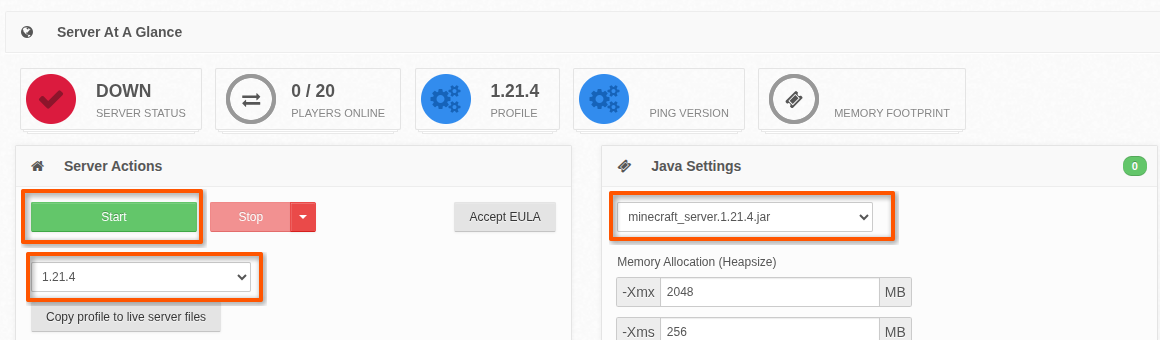
- Visit the Server page
- Select the correct profile from the Server Actions box. (i.e. 1.21.4)
- Select the correct runnable jar from the Java Settings box (i.e.
minecraft_server.1.21.4.jar) - Push the big green Start button
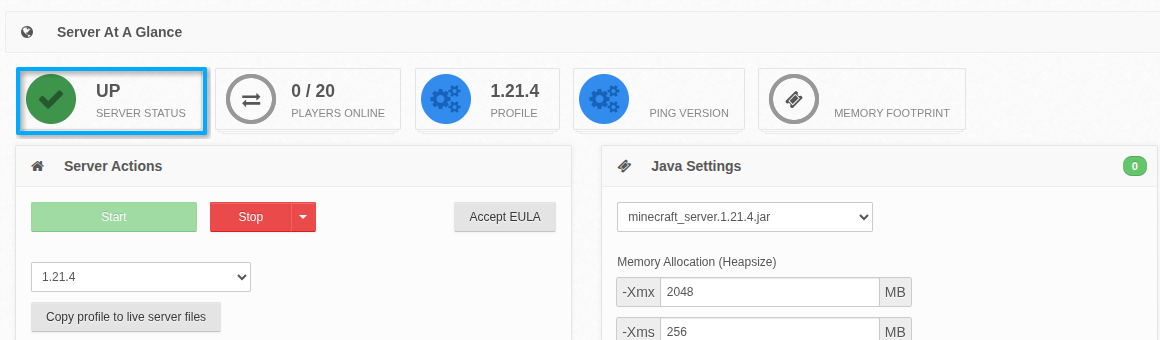
- Wait a bit and you should see the Server status checkbox flip from a red “Down” to a green “Up”
Here’s a couple screenies to help you get your bearings.